ServiceCam Pro — Remote Eyes for Pros
Try live demo Download deck

Remote video diagnostics for field service

Before you send the truck,
send a camera link.

See the issue live. Guide the customer. Keep the proof in one service record—without an app download.

Current beta: full Multi-Shop capacity at $0. No card. No automatic conversion.

servicecam.pro

The operational blind spot

The first dispatch is too often
the first real look.

01Descriptions arrive incomplete.
02Photos live in scattered text threads.
03The next person inherits the guesswork.

ServiceCam puts a guided first look before the route, then keeps the context after the call.

The customer experience

One tap.
Phone browser.
No app install.

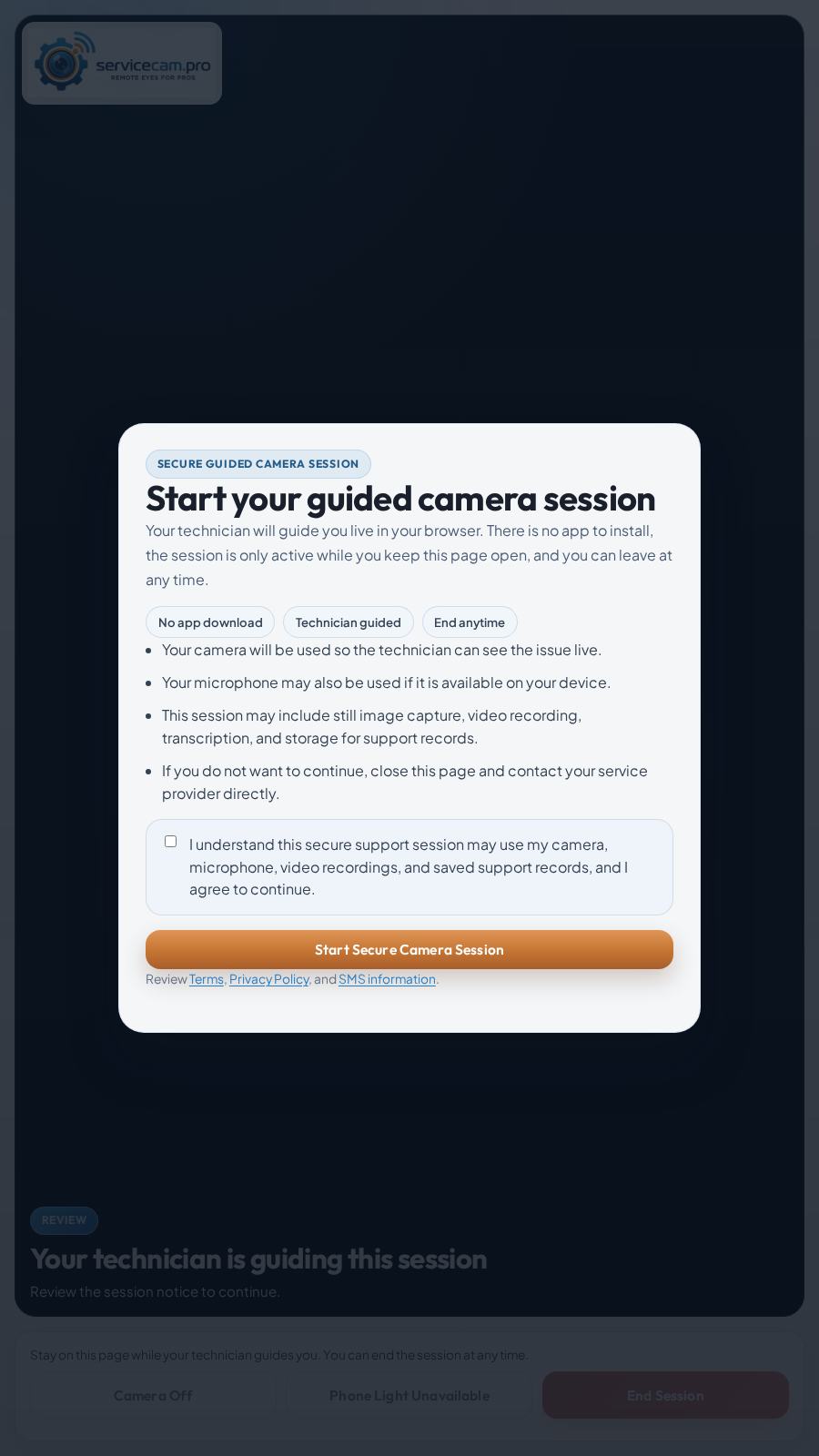
The customer opens a secure link, reviews the session notice, grants camera access, and follows the technician’s direction.

No account
Nothing new for the customer to create.
Clear consent
The session purpose and capture notice appear before entry.
Guided live
The technician asks for the angle that matters.
Actual ServiceCam customer browser screen showing the guided camera session consent flow
Actual customer join screen
Customer camera link

Homeowner / site contact

Four simple steps.
No app. No account.

The homeowner uses the phone they already have while the service professional guides the call.

  1. 01Receive the link

    It arrives by text or email from the service company.

  2. 02Open the browser

    Tap once. There is no download, meeting code, or ServiceCam login.

  3. 03Review and allow

    Read the notice, then grant camera and microphone permission.

  4. 04Show the issue

    Point the phone where directed and keep the page open until the call ends.

The homeowner never needs a ServiceCam account.

Try the homeowner flow
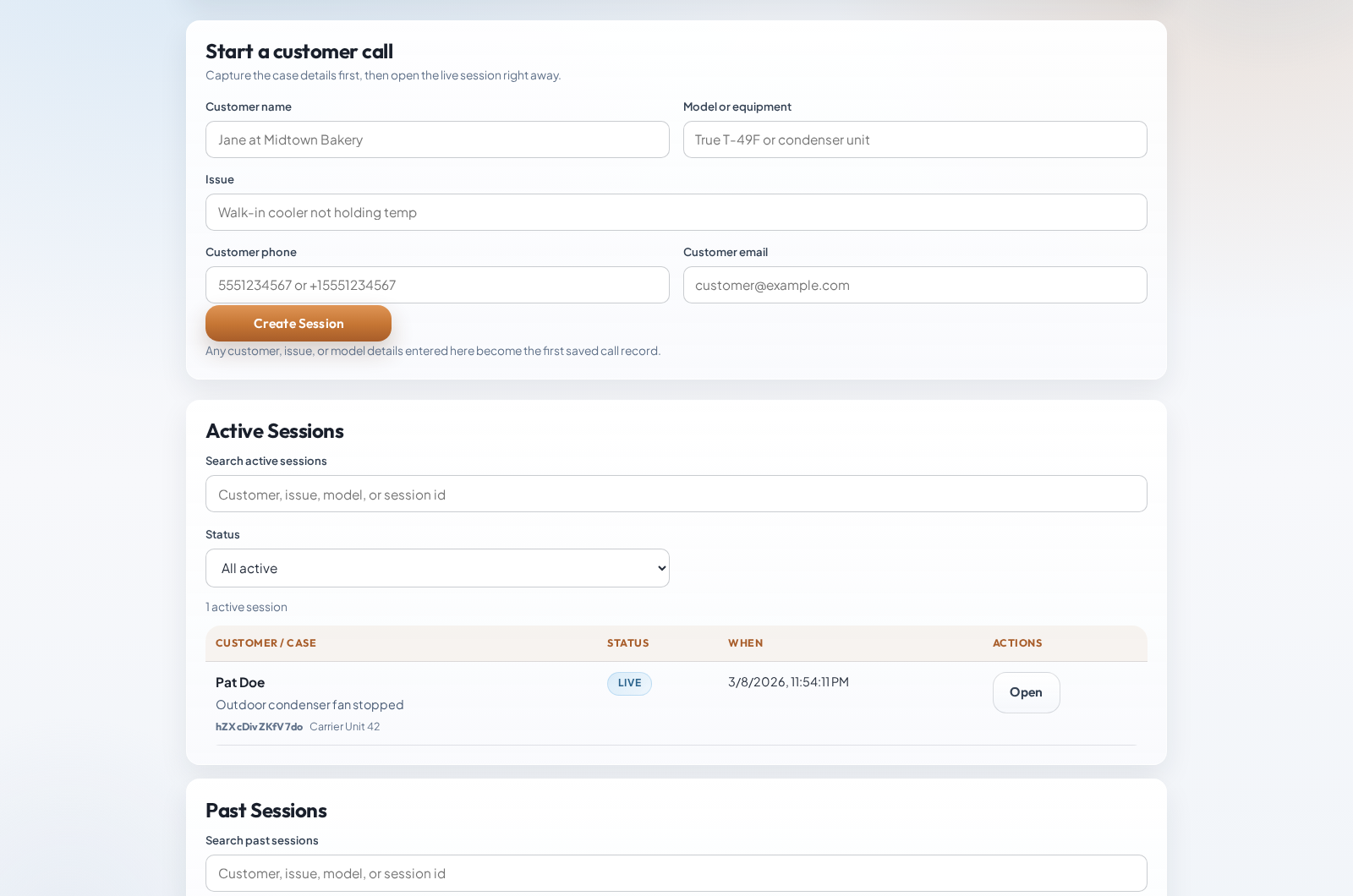
Actual ServiceCam dashboard showing customer call intake and active sessions
Real product screen Dashboard intake

The operator experience

Every first look starts inside a real ticket.

Capture the customer, equipment, issue, and contact details before the live session opens.

  • Start the session from the case—not a detached meeting room.
  • Send the secure link by text or email, or copy it directly.
  • Keep active and past sessions visible to the team.
Product workflow

During the call

Guide the view and document the issue while it is visible.

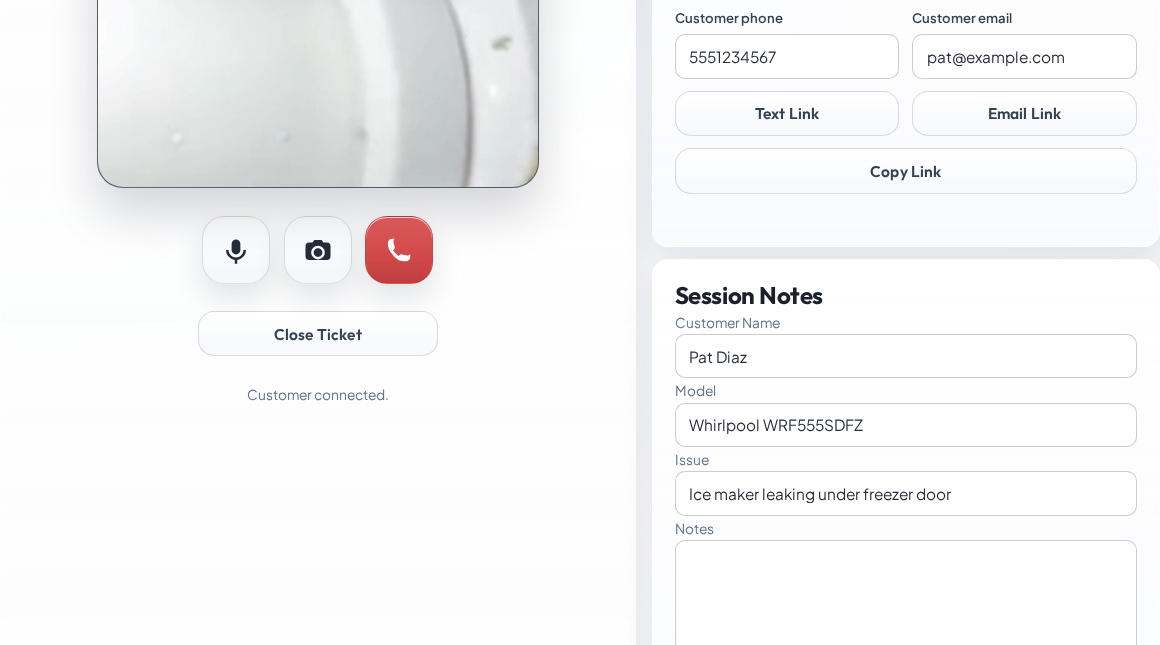
The live camera, link controls, ticket details, notes, and capture actions stay on one working surface.

GuideCaptureNoteClose
Actual ServiceCam live ticket workspace with customer camera controls and session notes
Real product screen Live technician workspace
Remote video diagnostics

Service business workflow

One service record from intake to handoff.

  1. 01Open the ticket

    Add the customer, equipment, complaint, and intake notes.

  2. 02Send the link

    Text it, email it, or copy it into the existing conversation.

  3. 03Guide and document

    Direct the view, save captures, record when needed, and take notes.

  4. 04Decide and hand off

    Resolve remotely, dispatch with context, or export the record.

PDF service reportPhoto ZIPCall MP4Transcript TXT
Reporting and exports

Devices and platforms

Works on the devices people already have.

No native app, browser extension, plug-in, or special camera hardware.

DevicesPhones · tablets · laptops · desktops
PlatformsiOS / iPadOS · Android · Windows · macOS · ChromeOS · Linux
RecommendedSafari on Apple mobile · Chrome on Android / ChromeOS · Chrome, Edge, or Safari for the business workspace
Also compatibleFirefox and other current WebRTC browsers on a best-effort basis
What it needsHTTPS · camera and microphone permission · reliable Wi-Fi or cellular data

For the best mobile reliability, open the link in the main browser—not inside Gmail, Outlook, Facebook, or Instagram.

Browser camera requirements

What changes operationally

Better decisions now.
Better records later.

Before dispatch

Qualify what the customer can show.

See visible conditions, error codes, model details, site access, and installation context before assigning the call.

On the route

Send a technician with more context.

Give the field team a clearer complaint and the saved evidence that shaped the next step.

After the call

Start callbacks from a usable record.

Keep notes, captures, recordings, and exports together for managers, escalations, and follow-up.

What ServiceCam solves

Built for visible service questions

Use it wherever seeing the issue changes the next step.

Trade use cases

Current free beta

Start at full capacity for $0.

10users 10live calls 1 TBstorage

Every beta account receives full Multi-Shop limits. No payment method, no checkout, and no automatic paid conversion.

Post-beta planMonthlyCapacityStorage
Single Truck$191 user · 1 live call50 GB
Crew$79Up to 5 · 5 live calls250 GB
Multi-Shop$139Up to 10 · 10 live calls1 TB

Current pricing verified July 12, 2026. Prices are monthly plus applicable taxes; billing begins only if the owner later chooses a paid plan and completes checkout.

Current pricing

The next step

Put ServiceCam on
one real call this week.

Try the browser-to-phone workflow without an account, then open the full beta when your team is ready.

support@servicecam.pro · Powered by MayoFlux

Contact ServiceCam